
Klaviyo vs Mailchimp comes down to three things for a Shopify store: what each one charges at your list size, who it counts as a billable contact, and how much of your Shopify data it can use to trigger and target messages. On list price, Mailchimp’s Standard plan is cheaper than Klaviyo’s email plan from about 10,000 contacts up, and the gap widens as the list grows. On billing rules, Klaviyo leaves unsubscribed people out of the count and Mailchimp includes them, which can close that gap for an older list. Klaviyo is built around ecommerce events. Mailchimp is a general marketing tool with a Shopify integration. Every price and quote below was read on each company’s own site on 17 November 2026.
Who wrote this: Retention Control is a retention-only marketing agency for Shopify and DTC brands. It builds and runs email and SMS flows, campaigns, segmentation and loyalty on Klaviyo, Omnisend, Brevo and Attentive. Neither Klaviyo nor Mailchimp pays for this page, and we resell neither. Mailchimp is not one of the platforms we run day to day, so this page sticks to what Mailchimp publishes.
- At 500 contacts: Klaviyo’s email plan is $20 a month; Mailchimp is $13 on Essentials and $20 on Standard.
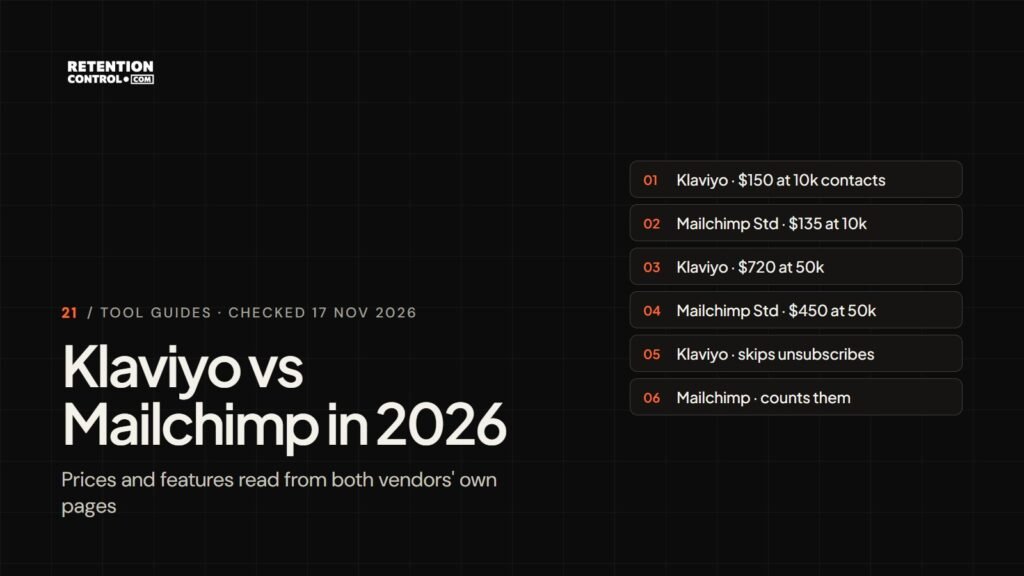
- At 10,000 contacts: Klaviyo $150; Mailchimp $110 on Essentials and $135 on Standard.
- At 50,000 contacts: Klaviyo $720; Mailchimp $385 on Essentials and $450 on Standard.
- Billing rule: Klaviyo bills active profiles, which excludes unsubscribes. Mailchimp counts subscribed, unsubscribed and non-subscribed contacts.
Klaviyo vs Mailchimp at a glance
| Klaviyo | Mailchimp | |
|---|---|---|
| Free plan | 250 active profiles, 500 emails a month | 250 contacts, 500 sends a month |
| Cheapest paid email plan | $20 a month (Email) | $13 a month (Essentials) |
| Billed on | Active profiles | All stored contacts, at the month’s peak |
| Over the limit | Moves to a compliant tier next cycle | Add-on blocks charged on the bill |
| SMS | Mobile plan bought upfront, carrier fees included | Credit add-on on Essentials or higher |
| Automation | Flows on every plan | Up to 4 flow steps on Essentials, 200 flows on Standard |
The rest of this page sets out where each line comes from.
Klaviyo vs Mailchimp pricing at six list sizes
Both companies price email by the size of your list. Klaviyo publishes its tiers in the price data behind its pricing page, and Mailchimp shows a price for each contact range on its pricing page once you pick a range. We read both on 17 November 2026, in US dollars, and took Mailchimp’s regular monthly price, not the introductory offer the page shows for the first 12 months. Promotions on Mailchimp’s page changed between our two checks that day, so treat any discount you see as temporary.
| Contacts | Klaviyo email | Mailchimp Essentials | Mailchimp Standard | Mailchimp Premium |
|---|---|---|---|---|
| 500 | $20 | $13 | $20 | $350 |
| 2,500 | $60 | $45 | $60 | $350 |
| 5,000 | $100 | $75 | $100 | $350 |
| 10,000 | $150 | $110 | $135 | $350 |
| 25,000 | $400 | $270 | $310 | $620 |
| 50,000 | $720 | $385 | $450 | $815 |
Up to 5,000 contacts, Klaviyo’s email plan and Mailchimp Standard cost the same. Above that, Mailchimp Standard is cheaper at every size in the table: $15 less at 10,000, $90 less at 25,000 and $270 less at 50,000. Mailchimp Essentials is cheaper again, but it stops at 50,000 contacts and has far less automation, which the flows section covers.
Sending limits differ too. Klaviyo’s email tiers allow ten sends per profile a month, so the 10,000 tier includes 100,000 emails. Mailchimp’s page gives the monthly sends as “10X contacts” on Essentials, “12X contacts” on Standard and “15X contacts” on Premium (Mailchimp). At 10,000 contacts, Mailchimp Standard therefore allows 120,000 emails a month.
For every Klaviyo tier, not only these six, see our Klaviyo pricing guide, which has the full table and a calculator.
Who counts as a billable contact
This is the part of the comparison that list prices hide. The two companies count different people.
Klaviyo bills on active profiles. Its help center says “Any profile, regardless of consent status, that can be emailed through Klaviyo is considered an active profile.” (Klaviyo) and its pricing explainer says “Unsubscribed and suppressed contacts do not count toward billing.” (Klaviyo)
Mailchimp counts more people. Its help center says “Subscribed, unsubscribed, and non-subscribed contacts are included in your contact count.” (Mailchimp) Contacts you archive or delete stop counting. Mailchimp also bills on the highest number you held in the month: “your bill will reflect the highest number of contacts stored in your account that month” (Mailchimp).
Here is what that does to a real bill, using only the published tiers. Take a store with 12,000 contacts, 3,000 of whom have unsubscribed over the years.
- Klaviyo counts 9,000 active profiles, which sits in its 6,501 to 10,000 tier: $150 a month.
- Mailchimp Standard counts all 12,000, which sits in its 10,001 to 15,000 range: $230 a month, unless the store archives the unsubscribes first.
So the cheaper platform on the price table can be the dearer one on the invoice. Before comparing, export your list and count how many contacts are unsubscribed. On Mailchimp, plan to archive them on a schedule.
What happens when you go over the limit
The two handle growth differently. Mailchimp keeps sending and charges for the extra: “Overages apply if contact or email send limit is exceeded.” (Mailchimp) Its help center explains that you are billed for add-on contact blocks, and that on Standard one block of 1,000 contacts carries 12,000 sends. On the free plan it stops instead: “Sending will be paused if contact or email send limit is exceeded.” (Mailchimp)
Klaviyo’s pricing page says “There are no surprise overage fees.” (Klaviyo) If your active profiles grow past your tier, its explainer says “If your active profiles exceed your tier, the account moves to a compliant plan at the next billing cycle.” (Klaviyo)
Neither approach is free. A big November sign-up push raises the bill on both. The difference is timing: Mailchimp charges for the overage on the current bill, while Klaviyo moves you up a tier from the next cycle.
Shopify integration
Both connect to Shopify, and both pass store data across. What they do with it differs.
Mailchimp’s Shopify page lists the main uses. You can “Trigger automations, like welcome emails, abandoned cart reminders, and back-in-stock alerts” and “Sync Shopify segments with Mailchimp to personalize email and SMS marketing.” (Mailchimp) Revenue reporting goes the other way too: you can “View your campaign revenue in your Shopify dashboard once connected” (Mailchimp).
Klaviyo’s setup guide shows a two-way sync with settings for each direction. You choose what flows from Shopify and what Klaviyo writes back, and you can “Check the Sync your Shopify email subscribers to Klaviyo box” so checkout and form sign-ups land on a Klaviyo list (Klaviyo).
One step matters if you are switching. Klaviyo’s guide says “make sure to disconnect your prior ESP from Shopify before integrating Shopify with Klaviyo” (Klaviyo). Running both against one store means two tools adding the same subscribers and two sets of abandoned-cart emails going out. Switch over on a quiet week, not in November.
Flows and automation
For an online store, flows earn most of the email revenue: the welcome series, cart and browse reminders, post-purchase follow-ups and win-back emails. This is where the two products differ most by plan.
Klaviyo includes flows on every plan, free included. Its help center describes a flow as “A flow is a sequence of automated actions (e.g., sending messages) triggered by a behavior or event.” and adds that “Flows can include time delays between actions and multiple paths that split based on different criteria for further customization.” (Klaviyo)
Mailchimp rations automation by plan. Its pricing page shows “Up to 4 flow steps” on Essentials and “Up to 200 flows” on Standard and Premium, with no flows on Free (Mailchimp). Four steps is enough for a short welcome series. It is not enough for an abandoned-cart flow with a split for first-time and repeat buyers, a second reminder and an SMS step.
That is why Essentials is the wrong comparison for most Shopify brands. If you want flows like the ones in our abandoned cart email guide or welcome email flow guide, compare Klaviyo with Mailchimp Standard. Our guide to ecommerce automation flows lists the flows a store needs first.
Segmentation
Klaviyo segments are live lists. Its help center says segments are dynamic and that “segments update in close to real time.” (Klaviyo) For a store, that means a segment of people who bought twice but not in the last 90 days is current when a campaign goes out.
Mailchimp lists “Predictive Segmentation” among the Premium plan’s features (Mailchimp). Through the Shopify integration it also pulls in Shopify’s own customer segments, as quoted above. Mailchimp also has a feature that Klaviyo users sometimes miss: separate audiences. Standard includes 5, which suits a business that runs unrelated lists, such as a store and a trade newsletter, in one account.
SMS and MMS
Both sell text messaging on top of email, and both make you buy it upfront.
Mailchimp’s SMS is an add-on: “SMS Marketing is available as an add-on feature for customers with the Essentials plan or higher” (Mailchimp). Picture messages need a higher plan: “MMS (Multimedia Messaging Service) and branded SMS short links are included with the Standard plan or higher” (Mailchimp). Mailchimp does not print its SMS rates on the pricing page, and its credits expire: “SMS credits expire at the end of each billing cycle and don’t rollover month to month.” (Mailchimp)
Klaviyo sells mobile messaging as a plan in dollars. Its help center says “You still purchase a plan upfront before sending, same as today.” and “Carrier fees remain included in your rates” (Klaviyo). Klaviyo’s free plan includes $5 of mobile messages a month, enough to test a flow. The plan sizes and rates are in our Klaviyo pricing guide.
Because Mailchimp’s rates are only shown inside an account, we cannot compare the two on SMS cost, and we will not estimate. If texting is a large part of your plan, price it inside both accounts, or look at a dedicated SMS tool. Our Postscript pricing breakdown compares one with Klaviyo’s SMS rates.
Support
Mailchimp sets support by plan. Its pricing page lists “Email support for first 30 days” on Free, “24/7 Email & Chat Support” on Essentials and Standard, and “Phone & Priority Support” on Premium (Mailchimp). Standard and Premium also include onboarding sessions.
Klaviyo’s comparison table lists email support and, on custom plans, a dedicated customer success manager with an SLA (Klaviyo). It does not lay out per-plan support as clearly as Mailchimp, so ask sales what your tier includes if live chat matters to you.
The free plans
The free plans are close. Klaviyo’s is “Up to 250 active profiles and 500 emails per month” (Klaviyo). Mailchimp’s help center says “The Free plan includes up to 250 contacts and 500 sends per month, with a daily send limit of 250.” (Mailchimp)
The difference is what you can build. Klaviyo’s free plan includes flows and segmentation. Mailchimp’s free plan has no flows and sends with Mailchimp branding. For a new Shopify store that wants a welcome series and an abandoned-cart email from day one, Klaviyo’s free plan does more.
Who should pick which
Pick Klaviyo if: – Shopify is your only sales channel and most of your email revenue will come from flows. – Your list has years of unsubscribes in it, so active-profile billing works in your favour. – You want email and SMS on one customer profile, with carrier fees included in the SMS rate. – You plan to build browse, replenishment or win-back flows with several branches.
Pick Mailchimp Standard if: – Your list is over 10,000 contacts, mostly subscribed, and price is the deciding factor. – You sell on more than one platform, or run newsletters that have nothing to do with the store, and want separate audiences. – Your automation needs are a welcome series and an abandoned-cart email, not a full lifecycle program. – Your team wants 24/7 chat support on a mid-tier plan.
Pick neither yet if you are under 250 contacts and not sure you will send more than a launch email. Both free plans cover that.
Other tools are worth a look too. The roundup of Klaviyo alternatives for Shopify covers eight more, and Omnisend vs Klaviyo compares the closest rival on price per contact.
Next step
Before you pick, export your list and split it into subscribed and unsubscribed contacts. Price the subscribed number on Klaviyo and the full number on Mailchimp, using the table above, and you will know which is cheaper for your store. If you would rather have someone set up the flows on whichever you choose, our free 60-minute audit looks at your list, your current automation and where the next sale is most likely to come from.